Contrast Review: The Webinar Platform That Actually Works With HubSpot
May 22, 2026If you've ever tried to connect a webinar platform to HubSpot and ended up with a mess of manual data entry, broken syncs, and lists you had to build yourself, you're not alone. Most webinar tools claim a HubSpot integration. Few deliver one that's actually useful.
Contrast webinars is the exception. And I’m happy I found it a few years ago. Since then, I have become a fan and use it for my sideprojects, and introduce it at the companies I work for. In this article, I’ll review Contrast webinars and show you why I’m a fan. In case you need help with your webinars and HubSpot, I’m happy to help – feel free to reach out.
Who Is This Review For?
This review is written from the perspective of a HubSpot-first marketing team. If you're running webinars through Zoom or Livestorm and constantly feeling like you're losing data, losing time, or losing your mind, this article will hopefully help you understand why I like Contrast webinars so much.
What Is Contrast webinars?
Contrast is a webinar platform built with modern marketing teams in mind. It's designed not just to host webinars, but to make everything around them, setup, follow-up, content repurposing, and CRM data — as seamless as possible.
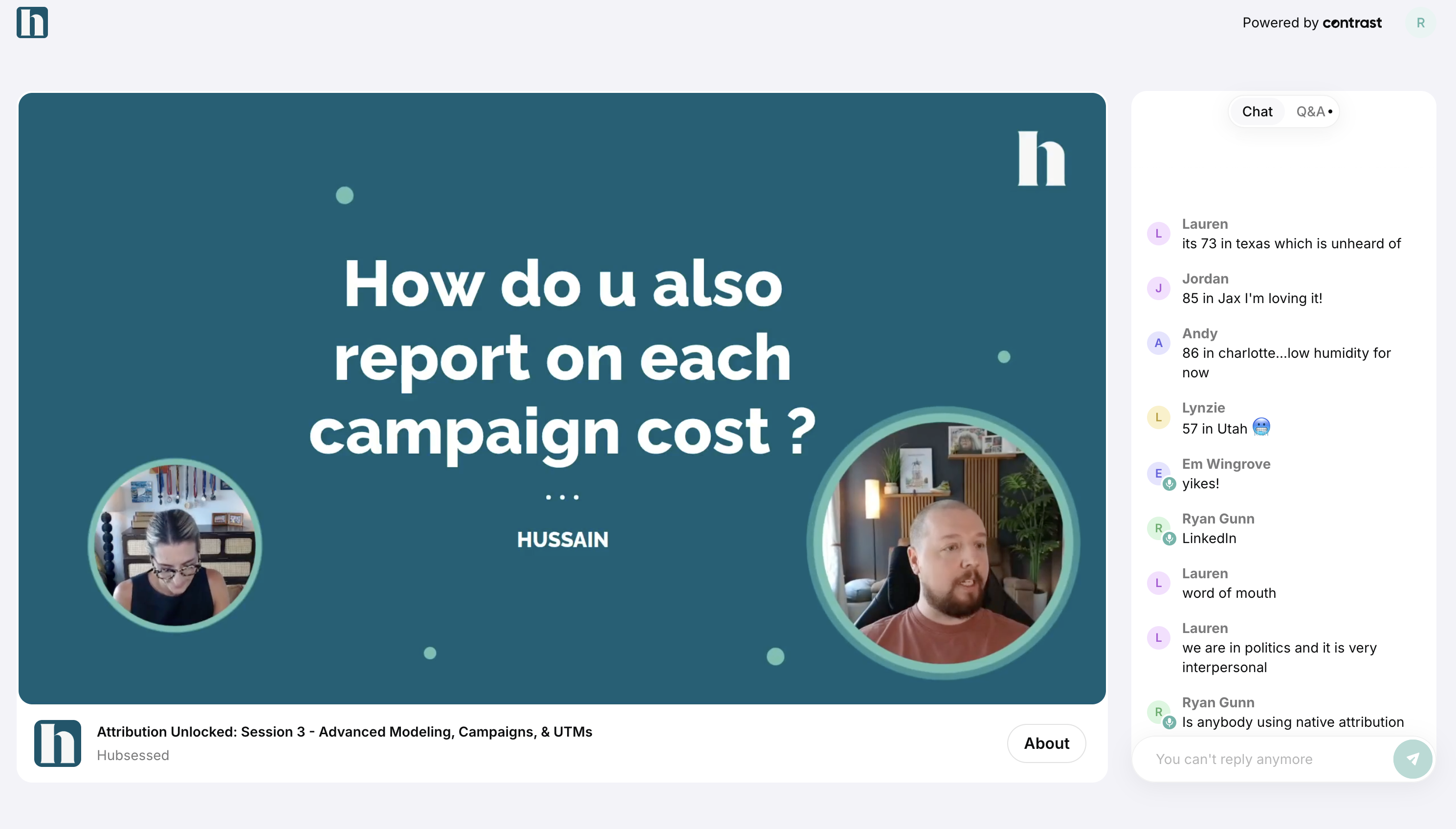
As a HubSpot user, its real gem is the integration they built for HubSpot.
With over 1000 HubSpot installs and a 4.9-star rating, it has a strong track record. Judging by their website, HubSpot itself uses Contrast for its own webinars, which is about as strong an endorsement as you can get. Contrast was also named a leading technology partner in HubSpot's 2026 Technology Partner program and is HubSpot certified.
Getting Set Up: Surprisingly Fast
Setting up an event on Contrast takes about 10 minutes. You add a description, date and time, and your speakers with their bios. From there, Contrast handles the rest: registration confirmation emails, reminders, and post-event follow-ups are all sent automatically. They also add a calendar invite to registrants on their calendar, this helps with increasing my attendance rates.
Compared to Zoom, it’s such a breath of fresh air, where everything is an option you need to turn on. Contrast understands what a typical B2B webinar looks like, and they have built the platform around that use case. On top of that, all these assets are branded and designed very well - they look modern and represent modern startups well.
You also get a branded channel (similar to a YouTube channel) where all your webinars live under a single link. You can add your logo, set your brand colors, upload thumbnails, and make it look like yours.
Contrast offers live events, on-demand events and also simulive events. All these events are integrated with HubSpot, and sync data over.
Running your live webinar
Contrast’s webinar studio allows you to create engaging webinars with your audience. They have all the basic engagement features you expect from a webinar platform. But also offer more depth through engagement widgets, animations and videos. One of the features I love most is to add something “on stream”. For example, you can put the poll vote on stream, which is a layer on top of your video – and as people vote the results come in live. It creates that extra excitement during your webinars no other platforms offer.
Every webinar is automatically recorded in high quality. And if you have set up your brand kit, it will contain your logos, speaker names etc in your brand colors and event fonts.
Of course all that engagement is tracked and available in the detailed analytics that you find on the dashboard of Contrast. But why look there? All of that data is also available on HubSpot.
The Contrast webinars x HubSpot integration
This is where Contrast really separates itself.
Connecting it to HubSpot takes about 30 seconds: go to your integration settings, click HubSpot, hit connect, select your portal, and you're done. No developer needed. The data starts flowing from that moment on.
I believe that the integration sends over 50 data points to HubSpot that you can then use in workflows, segments, lead scoring and reporting. Some of my favorite data poins that I use for every webinar:
- Watch type (live or on-demand) and the view time as a %
- Poll answers
- CTA clicks
- Q&A marked messages
- If contact was created through Contrast
- UTM data
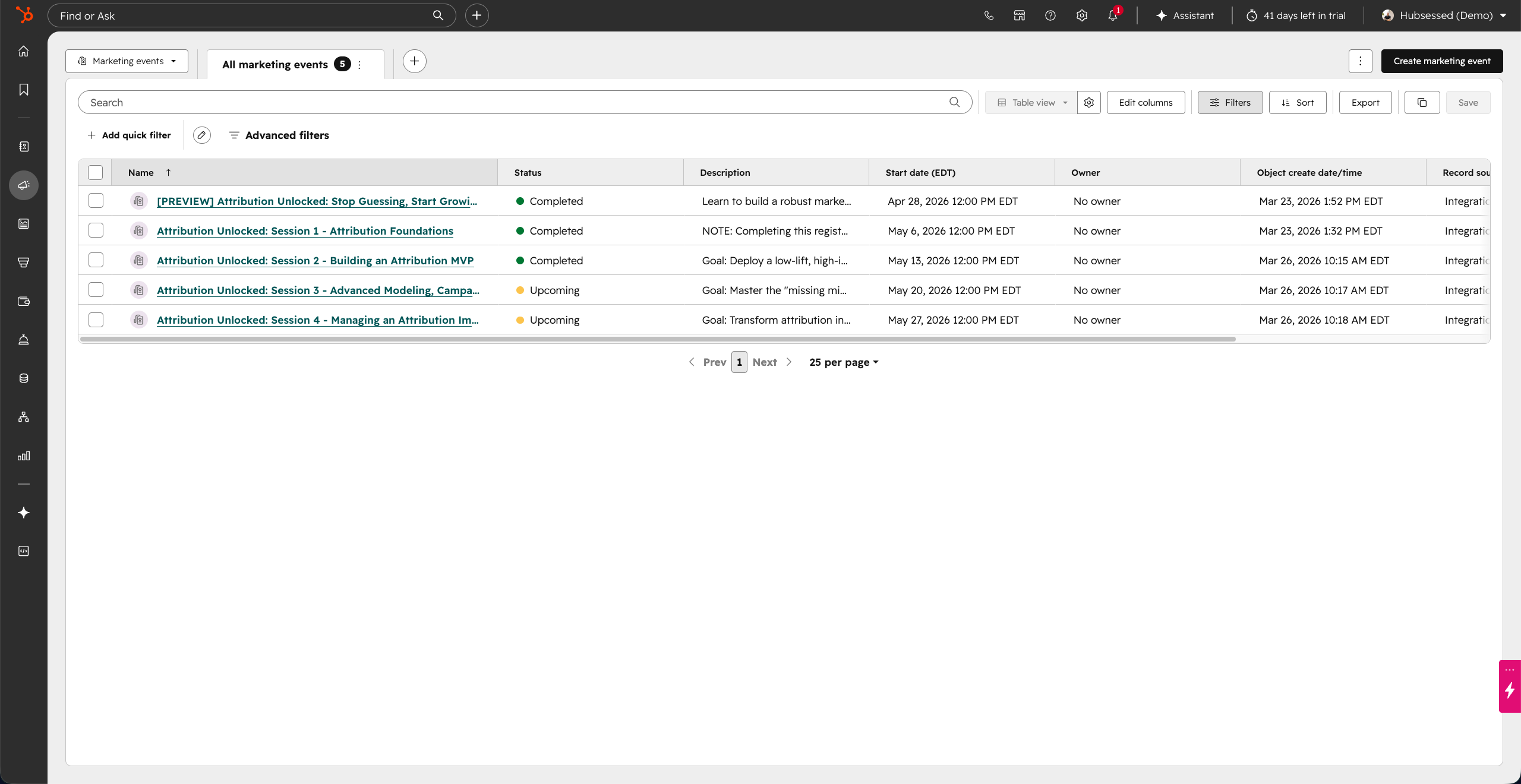
Contrast also integrates with HubSpot's Marketing Events object, which means all your webinars show up natively under Marketing > Events in HubSpot. Every property; registration count, attendance, and duration watched is populated automatically by Contrast. You don't fill in anything manually.
Automatic List Creation
After each event, Contrast can automatically generate segmented lists inside HubSpot for:
- Registrants
- Live viewers
- No-shows
- Replay viewers
- All viewers (live + replay combined)
- People who clicked your CTA
- Poll respondents
- Q&A participants
One click, and all of those lists are created and kept up to date in HubSpot. No exports, no imports, no manual tagging or using a workflow with filters to create these lists.
UTM Tracking
Contrast lets you build UTM-tracked registration links, so you can see exactly which channels or partners are driving sign-up, and all of that data gets pushed into HubSpot for attribution reporting.
Workflow Automation: Where It Gets Powerful
Because Contrast feeds clean, structured data into HubSpot, you can build genuinely useful workflows around your webinar attendees.
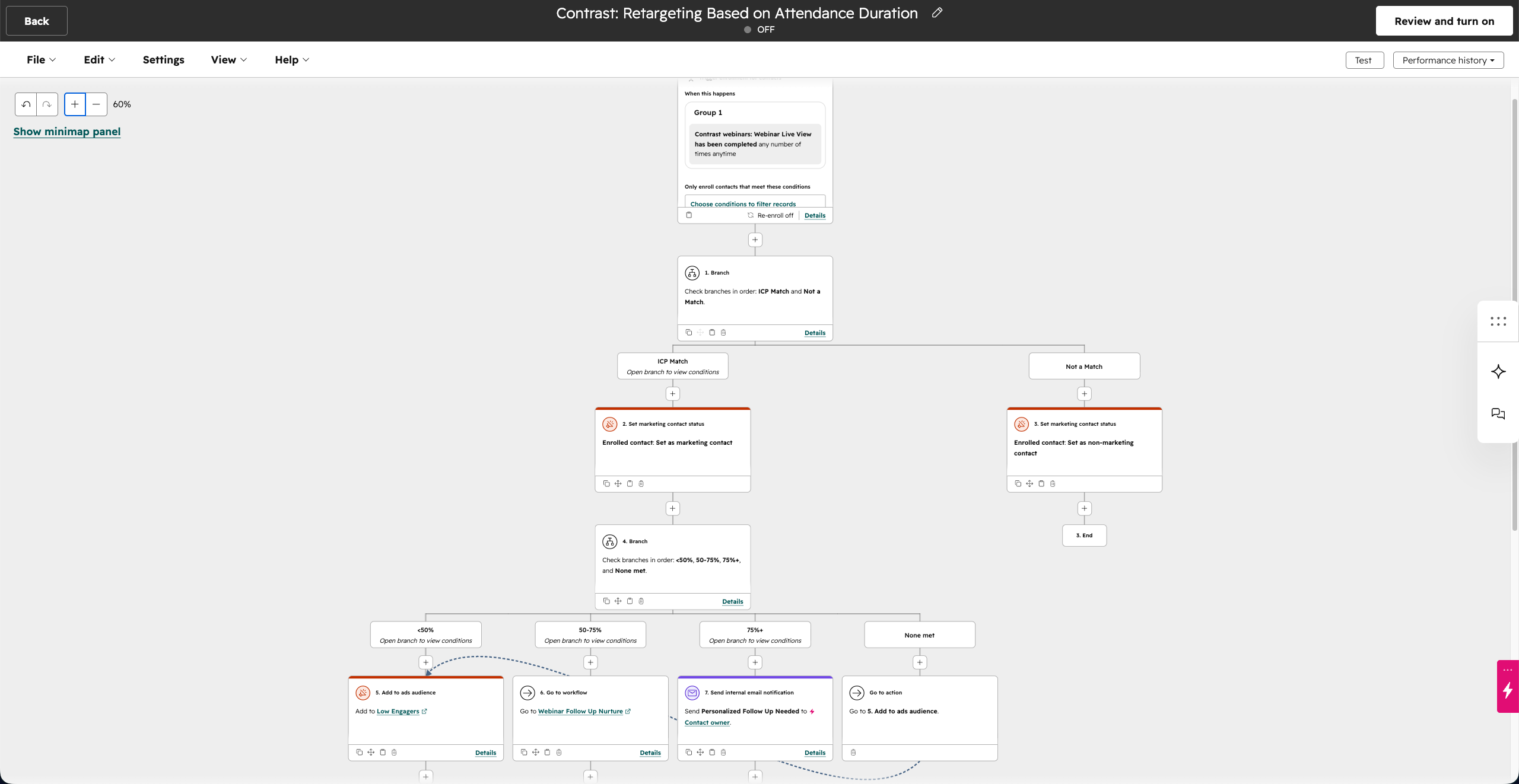
Here’s an example of something that I always implement:
- Trigger: Contact viewed a webinar
- ICP check: Is this person actually a good fit for your business?
- If no → mark as non-marketing contact (keeps your HubSpot costs down)
- If yes → mark as marketing contact, then branch based on watch duration:
- Under 50% watched → add to an ads retargeting audience
- 50–75% watched → enroll in a nurture email sequence
- 75%+ watched → send a personalized 1:1 follow-up
This kind of segmentation used to require a lot of manual list-building and guesswork. With Contrast pushing engagement data directly into HubSpot, it becomes a workflow you set up once and let run.
Content Repurposing: A Bonus That's Actually Useful
Contrast has solid content repurposing features. After each webinar, it automatically generates social-ready short clips, with subtitles and your branding already applied.
If the auto-generated clips aren't quite right, you can open the transcript, highlight the section you want, and clip it yourself. The result is a ready-to-upload short for LinkedIn, YouTube, or wherever you distribute content.
For anyone running a content engine alongside their webinar program, this turns each live event into a week's worth of content without much extra effort. And for those writing blog posts, or newsletters - Contrast also generates these. Although I can’t say they are exactly ready for publishing, they save loads of time.
Custom registration flows made easy
If you prefer to use your own registration page, and register people to Contrast, that's supported too. You can set up a workflow so that anyone who submits a HubSpot form is automatically enrolled in the Contrast event. You’ll never have to double gate your webinars this way.
Your registrants then automatically get branded reminder emails from Contrast and the calendar invite. I tried setting these up myself in HubSpot, and even though I have more customization, it’s just a pain to maintain. These days, I fully trust Contrast to handle this.
Pricing
In my experience Contrast is maybe slightly more expensive than other webinar tools such as Zoom. However, they also offer a lot more and save you hours of frustration dealing with missing data in HubSpot.
I have helped tons of different businesses getting onboarded with Contrast. From small solopreneurs to larger companies. Their pricing models reflect this. There are self starter plans that you can use today without talking to anyone. For example, their cheapest plan starts at $69 a month and gives you access to 90% of the features and 100 monthly registrants.
Contrast offers a free plan with no credit card required. If you have fewer than 30 registrations per month, you won't pay anything.
Who Should Use Contrast?
Contrast is a strong fit for:
- HubSpot marketing teams who want webinar data to actually live in their CRM
- Demand gen teams running regular webinars as part of their pipeline strategy
- RevOps teams who want clean data and proper attribution without manual work
- Content-focused teams who want to repurpose webinar content efficiently
If you're on HubSpot and still running webinars through Zoom or Livestorm, you're likely leaving a significant amount of engagement data on the table, data that could be powering smarter follow-up, better segmentation, and stronger attribution reporting.
Final Verdict
Contrast does what a lot of webinar platforms only promise: a real, deep HubSpot integration that saves time and surfaces data you can actually act on. The platform is well-designed, the setup is fast, and the workflow possibilities are genuinely impressive once you see how the data flows.
Their support is great, also if you have a problem with HubSpot. You should check out their mini-guides that give tons of practical advice on HubSpot too. Super useful.
If webinars are a meaningful part of your marketing, you should check out Contrast.
Don't miss a beat!
New moves, motivation, and classes delivered to your inbox.
We hate SPAM. We will never sell your information, for any reason.